We compared five options for Mac users: Rewritly, LanguageTool, ProWritingAid, QuillBot and Apple's built-in Writing Tools. We checked each paid tool's price on its own website on October 23, 2026.
Full disclosure: Rewritly is our product. We have tried to be fair about where other tools do a better job.
Quick answer
- Best for fixing, rewriting and translating text in any Mac app with one shortcut: Rewritly ($59 per year)
- Best for long-form and fiction writers: ProWritingAid
- Best for live grammar checking as you type, in many languages: LanguageTool
- Best for paraphrasing and academic work: QuillBot
- Best free option if your Mac supports Apple Intelligence: Apple Writing Tools
Comparison table
| Tool | Paid price (USD) | Free option | Works on Mac | Best for |
|---|---|---|---|---|
| Rewritly | $7 a month, $19 per 3 months, or $59 per year (~$4.92 a month) | Free plan (10 rewrites a day, every feature), no card needed | Mac app (universal .dmg, macOS 11+); also Windows | Fixing, rewriting, translating and "ask anything" in any app, in any language |
| Grammarly Pro | From $12 a month (see grammarly.com/plans) | Free plan | Mac app and browser extensions | All-round grammar and tone help |
| LanguageTool Premium | $24.90 a month, $49.90 a quarter, or $69.90 a year (~$5.83 a month); US pricing, incl. VAT (EU pricing differs) | Free "Basic" plan (2,000 characters, 3 AI rephrasings a day) | macOS app, Safari and other browsers | Multilingual grammar checking |
| ProWritingAid Premium | $30 a month or $120 a year ($10 a month); lifetime $399 | Free plan | Yes (see their site) | Novelists and long documents |
| QuillBot Premium | $8.33 a month, billed annually | Free plan (paraphrases up to 125 words) | Apps and browser extensions | Paraphrasing and summarizing |
| Apple Writing Tools | No separate subscription listed by Apple | Built in | Apple Intelligence Macs (M1 and later) | Quick proofreading in Apple apps |
Prices were checked on October 23, 2026, on each vendor's own pricing page. Sources are listed at the end of this page. Prices can change, so check before you buy.
1. Rewritly: best for writing help in every Mac app
Rewritly is a small writing assistant (under 8 MB to download) that sits in your Mac's menu bar. A small icon appears next to your text cursor. Click it or press ⌘⇧Space, choose a fix, then press Replace. The improved text goes straight back into the same text box, with no copying and pasting.
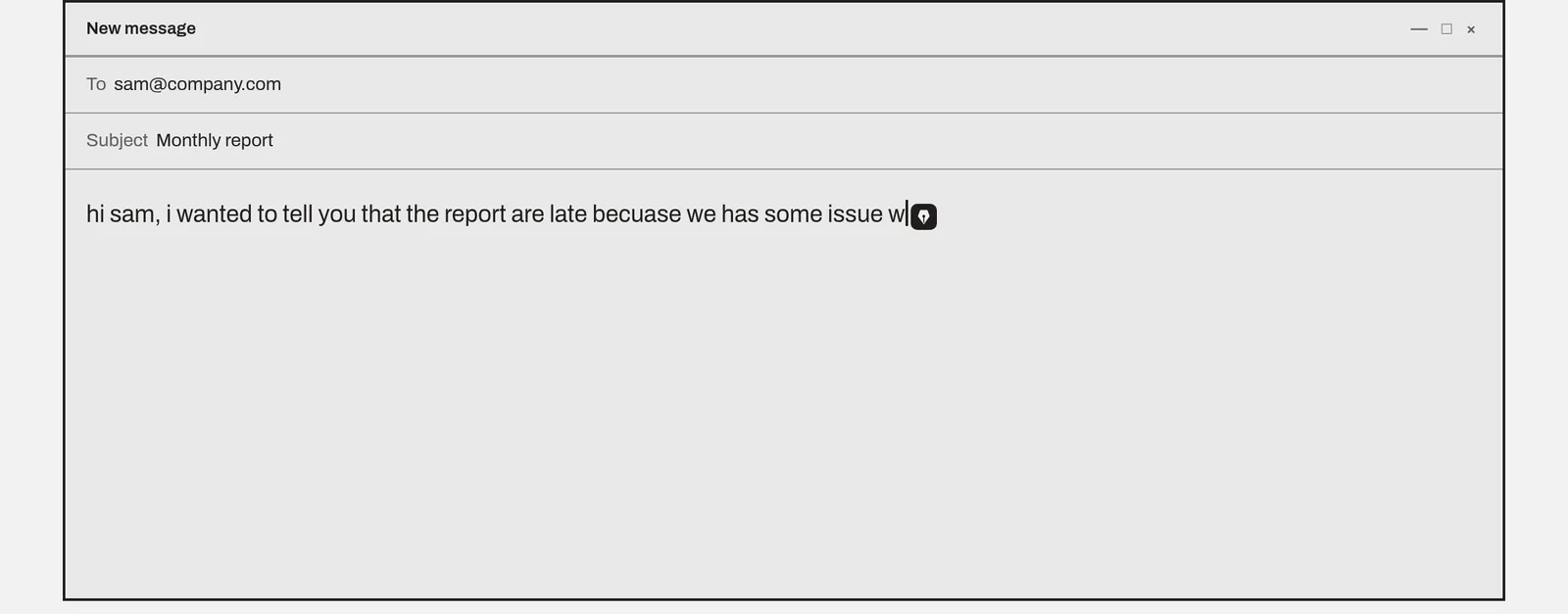
- One-click fixes: Fix grammar, Improve, Shorter, Longer, Formal, Friendly.
- Ask anything: type what you want in plain words, for example "make this polite", "reply saying I can't come" or "translate to Spanish".
- Any language: it fixes and rewrites text in the language you wrote it in, and translates into any language you ask for. Save a translation you use often, like "Translate to Hindi", as a one-click button.
- Works where you write: WhatsApp, Gmail, Slack, Notion, LinkedIn, docs, Word, Outlook, ChatGPT, Claude, and Chrome, Safari, Edge and Brave.
- Privacy: it ignores password fields and stays hidden by default in code editors, terminals and password managers. It only sends text when you ask it to.
- Price: free for 10 rewrites a day, with every feature and no card needed. Pro removes the limit for $7 a month, $19 per 3 months or $59 per year, and you can cancel anytime.
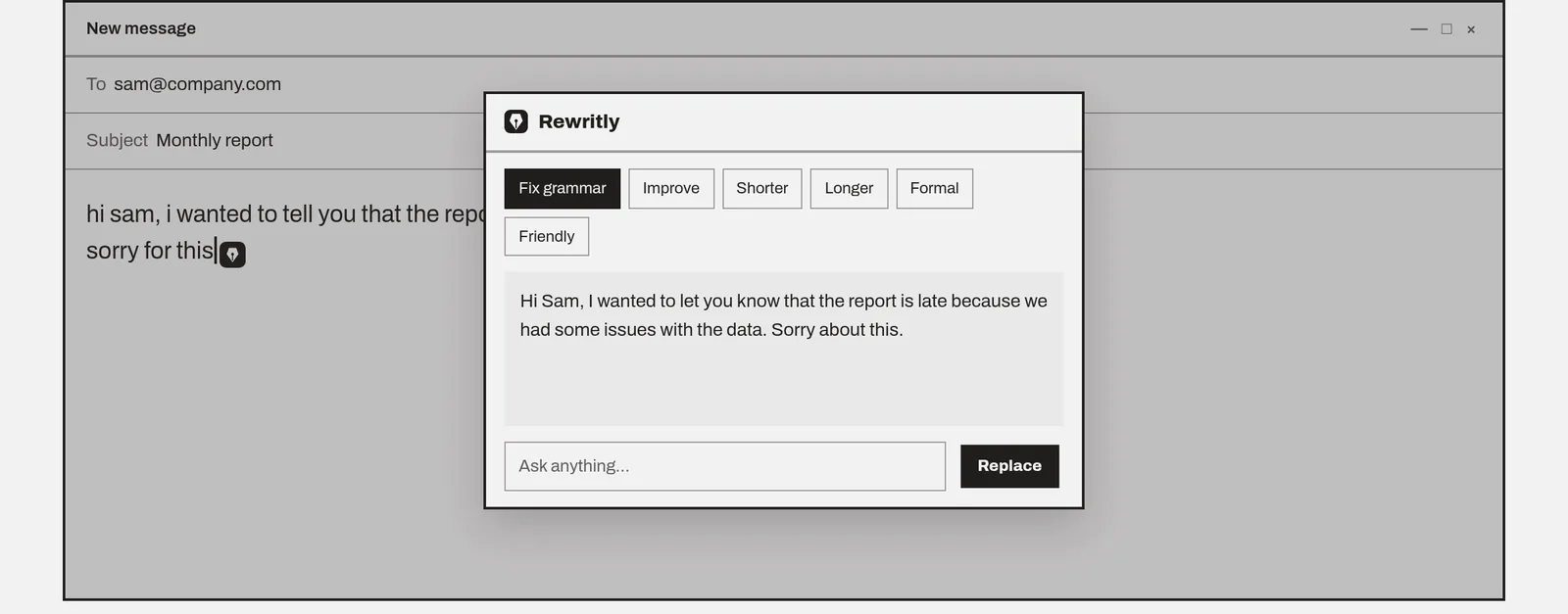
Pros
- About $4.92 a month on the yearly plan, compared with Grammarly Pro from $12 a month
- Works in native Mac apps as well as the browser
- One tool for everyday writing: fix, improve, shorten, lengthen, change the tone or translate
- Custom shortcut buttons for things you write often, each with its own keys to run it in place
- Also works on Windows 10/11 with the same plan
Cons
- The free plan is limited to 10 rewrites a day
- Needs an internet connection (no offline mode)
- No Chrome extension or Linux app. The iPhone app isn't out yet
- Doesn't offer plagiarism checking, AI-text detection, or deep reports for long manuscripts
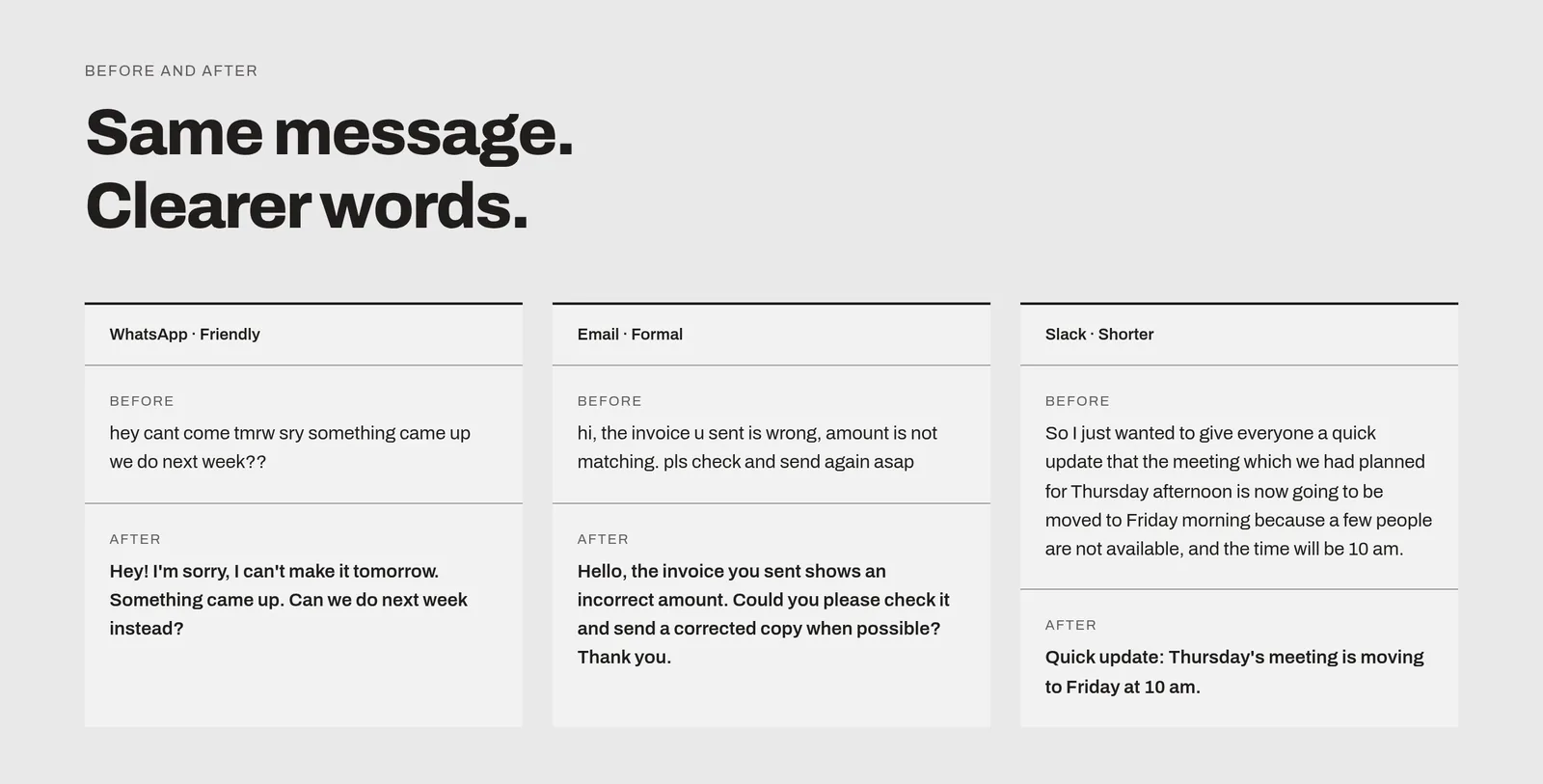
See how it compares head-to-head: Rewritly vs Grammarly · Grammar checker for Mac · Pricing
2. Grammarly: the benchmark
Grammarly has a free plan and a Pro plan. Pro adds full-sentence rewrites, tone adjustment, plagiarism and AI-text detection, and 2,000 AI prompts a month (per grammarly.com/plans, checked 23 Oct 2026). Grammarly's plans page shows Pro from $12 a month. For exact billing options, see grammarly.com/plans. Enterprise pricing is through sales.
Pros: mature, accurate suggestions; plagiarism and AI-detection; strong team features.
Cons: costs more than most alternatives here for individuals. The free plan has a limit of 100 AI prompts a month (grammarly.com/plans, checked 23 Oct 2026).
3. LanguageTool: best for more than one language
LanguageTool checks grammar and style in 30+ languages. It has a macOS app and works in Safari, Chrome, Firefox and Word. The free Basic plan has a 2,000-character limit per text field and 3 AI rephrasings a day. Premium raises the limit to 150,000 characters and adds unlimited AI paraphrasing and a personal style guide. There's a 14-day money-back guarantee.
Premium costs $24.90 a month, $49.90 a quarter or $69.90 a year (US pricing, incl. VAT, checked 23 Oct 2026; languagetool.org/premium). EU pricing differs.
Pros: strong multilingual support, a generous free tier, a native Mac app.
Cons: rewriting is more limited than with AI-first tools; the monthly plan is pricey if you don't pay yearly.
4. ProWritingAid: best for authors and long documents
ProWritingAid is built for fiction and long-form writers. It offers style reports, Chapter Critique and manuscript analysis. Premium costs $30 a month or $120 a year ($10 a month). Premium Pro costs $144 a year, and lifetime licenses are $399 (Premium) or $699 (Premium Pro). It works only in English.
Pros: deep editing reports, a lifetime option, a 25% student discount.
Cons: more than most people need for emails and chat; English only; a 3-day refund window.
5. QuillBot: best for paraphrasing
QuillBot is known for its paraphraser, which has 9 built-in modes plus custom ones. It also has a summarizer, plagiarism checker and AI detector. Premium is $8.33 a month, billed annually. The free plan paraphrases up to 125 words at a time.
Pros: many paraphrasing styles, popular with students, low annual price.
Cons: focused on paraphrasing and studying rather than fixing text inside every app; usage limits apply.
6. Apple Writing Tools: the built-in option
On Macs with Apple Intelligence (M1 and later), Apple's Writing Tools can proofread and rewrite text in most apps. Apple's Apple Intelligence page doesn't list a separate subscription. It does note that usage limits may apply.
Pros: already on your Mac, no extra app, Apple's privacy design (on-device processing plus Private Cloud Compute).
Cons: not available on Intel Macs; fewer custom actions; features and languages vary by region and macOS version.
Which Grammarly alternative should you pick?
- You write emails, Slack and WhatsApp messages all day and want one shortcut that fixes, rewrites or translates text in place: Rewritly. Download it free.
- You write novels or long reports: ProWritingAid.
- You write in several languages: LanguageTool if you want every word checked as you type, or Rewritly if you want to rewrite or translate a whole message in one step.
- You mainly paraphrase or summarize for study: QuillBot.
- You only need light proofreading and have an Apple Intelligence Mac: Apple Writing Tools.
FAQ
What is the best Grammarly alternative for Mac?
It depends on what you write. For quick fixes and rewrites in any Mac app, Rewritly is a lower-cost option at $59 a year. ProWritingAid suits long-form writers, LanguageTool suits multilingual writers, and QuillBot is best for paraphrasing.
Is there a cheaper alternative to Grammarly Pro on Mac?
Yes. On October 23, 2026, Grammarly Pro started from $12 a month on Grammarly's site. Rewritly has a free plan (10 rewrites a day), and Pro costs $59 a year (about $4.92 a month), $19 per 3 months or $7 a month. QuillBot Premium is $8.33 a month, billed annually, and LanguageTool Premium is $69.90 a year (US pricing, incl. VAT).
Is Rewritly free?
Yes, up to 10 rewrites a day with every feature, and no card is needed. For unlimited rewrites, Pro is $7 a month, $19 per 3 months or $59 per year. You can cancel anytime.
Does Rewritly work in Gmail, Slack and WhatsApp on Mac?
Yes. Rewritly works in WhatsApp, Gmail, Slack, Notion, LinkedIn, Word, Outlook and docs, and in Chrome, Safari, Edge and Brave. Press ⌘⇧Space, pick a fix, and press Replace.
Can Rewritly translate or write in other languages?
Yes. Rewritly fixes and rewrites text in the language you wrote it in, and translates into any language: type "translate to Spanish" in Ask anything, or save it as a one-click button. The app itself comes in 50 languages.
What Mac do I need for Rewritly?
macOS 11 or later, on Apple silicon or Intel. The download is a universal .dmg, and Rewritly needs the Accessibility permission to work in other apps.
Is Apple Writing Tools a good free alternative to Grammarly?
For light proofreading, yes, if your Mac supports Apple Intelligence (M1 or later). If you want custom actions, one-click tone changes in any app, or an Intel Mac, you'll need a separate tool.
Try Rewritly free
Free plan with 10 rewrites a day, no card needed. Unlimited with Pro: $7 a month, $19 per 3 months or $59 per year. Cancel anytime.
Free plan, no card needed · macOS 11+ · Windows 10/11 · On a phone? Email yourself the link
Sources (checked October 23, 2026)
- Grammarly: grammarly.com/plans (Pro shown from $12 a month; free plan available; Pro 2,000 AI prompts per member a month, Free 100 a month)
- LanguageTool: languagetool.org/premium (Premium $24.90 a month, $49.90 a quarter, $69.90 a year; US pricing, incl. VAT; EU pricing differs; free tier 2,000 characters and 3 AI rephrasings a day)
- ProWritingAid: prowritingaid.com/pricing ($30 a month; $120 a year Premium; $144 a year Premium Pro; $399/$699 lifetime)
- QuillBot: quillbot.com/premium ($8.33 a month billed annually; free plan paraphrases up to 125 words, rechecked November 10, 2026)
- Apple: apple.com/apple-intelligence (no separate price listed; compatible devices list)
- Rewritly: getrewritly.com (live site, October 23, 2026)