This guide is for people who searched free Grammarly alternative, Grammarly free alternative, or free alternative to Grammarly—not for the Mac-only free-checker roundup or the paid-tool Mac shortlist. Those live elsewhere (linked below) so each page keeps a distinct job.
How this post differs from our other Grammarly pages
| Page | Intent |
|---|---|
| This post — Free Grammarly alternative | What free tiers actually include, Mac and Windows, desktop vs extension |
| Free grammar checker for Mac | Mac download / free checker roundup (Apple Writing Tools included) |
| Best Grammarly alternative for Mac | Best overall Mac alternatives (paid + free), five-tool shortlist |
| Grammarly alternative | Product landing: Rewritly as a Grammarly alternative in every app |
Use this page when the query is about staying free. Use the Mac free-checker post when the query is “free grammar checker for Mac.” Use the best-Mac post when someone wants the strongest Mac alternative regardless of price. Use the landing page when they are ready to evaluate Rewritly itself.
What “free Grammarly alternative” should mean
Three filters stop bad recommendations:
- Feature filter — Does free include full-sentence rewrites and tone, or only spelling/grammar underlines?
- Surface filter — Does it work in native desktop apps (Slack, WhatsApp Desktop, Word, Mail), only in Chrome, or only if you paste into a website?
- Limit filter — Is free a permanent plan with a published cap, or a short promo period that expires?
Rewritly’s free plan (verified on getrewritly.com/llms.txt, 28 Oct 2026) is a permanent free tier: 10 rewrites per 24 hours, every feature, no card. Pro removes the daily cap: $7/month (Mac and Windows), $19 per 3 months, or $59/year. Marketing no longer pushes a short timed promo that expires into a paywall—the free plan is the free plan.
Free Grammarly alternatives compared (sourced free tiers)
Free limits and paid starting prices below were checked on each vendor’s own pages on 28 October 2026 (re-verified the same day against the source URLs in meta.md). Re-check again on publish day; free tiers change.
| Tool | Free plan (checked 28 Oct 2026) | Paid from (same check) | Surface | Best free Grammarly alternative when… |
|---|---|---|---|---|
| Rewritly | 10 rewrites / 24 hours, every feature, no card (llms.txt) | Pro $7/mo (Mac & Windows), $19 / 3 months, $59/year | Desktop menu-bar / tray app in almost any text field | You want in-field replace on Mac or Windows without living in one browser |
| Grammarly Free | Free forever for core spelling/grammar and tone detection; 100 AI prompts / month on Free vs 2,000 on Pro; full-sentence rewrites and tone adjust listed as Pro (grammarly.com/plans) | Pro from $12/month (annual framing on plans page; support also lists $30 monthly / $60 quarterly / $144 yearly per member) | Browser extension + Grammarly apps / editor | You already use Grammarly and only need Free underlines + light AI |
| LanguageTool Basic | Basic grammar/punctuation/style; 2,000 characters per text field; 3 AI sentence rephrases / day (languagetool.org/premium comparison table) | Premium (regional EUR pricing incl. VAT on site; e.g. monthly/quarterly/yearly packages) | Strongest free path is the web editor; browser extension has moved toward Premium-only for free users (premium announcement) | You want a free multilingual web editor, especially for German and other European languages |
| QuillBot Free | Paraphrase up to 125 words per request (rechecked 10 Nov 2026); Standard + Fluency modes; Summarizer up to 1,200 words; limited AI Chat (QuillBot help: free vs Premium) | Premium (region-based per QuillBot help); QuillBot’s own FAQ lists $19.95/mo, $39.95/3 mo, or $99.95/yr (~$8.33/mo) — how-much-is-quillbot-premium; confirm at checkout / quillbot.com/premium | Browser tools + extensions; not a system-wide desktop grammar layer | Your job is paraphrasing in a tab, not checking Slack and Mail all day |
Full disclosure: Rewritly is our product. Competitor free limits come from their public plans/help pages (checked 28 Oct 2026). We tried to be fair about where each free tier wins.
Grammarly Free vs a free Grammarly alternative
Grammarly Free is still a real product, not a decoy. On the plans page (28 Oct 2026) Free covers writing without spelling and grammar mistakes and seeing your tone; Pro adds adjusting tone, rewriting full sentences, plagiarism/AI detection, and the higher AI prompt allotment (100 / month on Free vs 2,000 / member / month on Pro).
So “free Grammarly alternative” does not always mean “leave Grammarly.” Sometimes it means:
- Stay on Grammarly Free if underlines + 100 AI prompts are enough.
- Switch if you need rewrites in desktop apps Grammarly Free does not fully cover the way you work, or if you want a free tier that keeps the same actions as paid with a hard daily rewrite count instead of a Free/Pro feature wall.
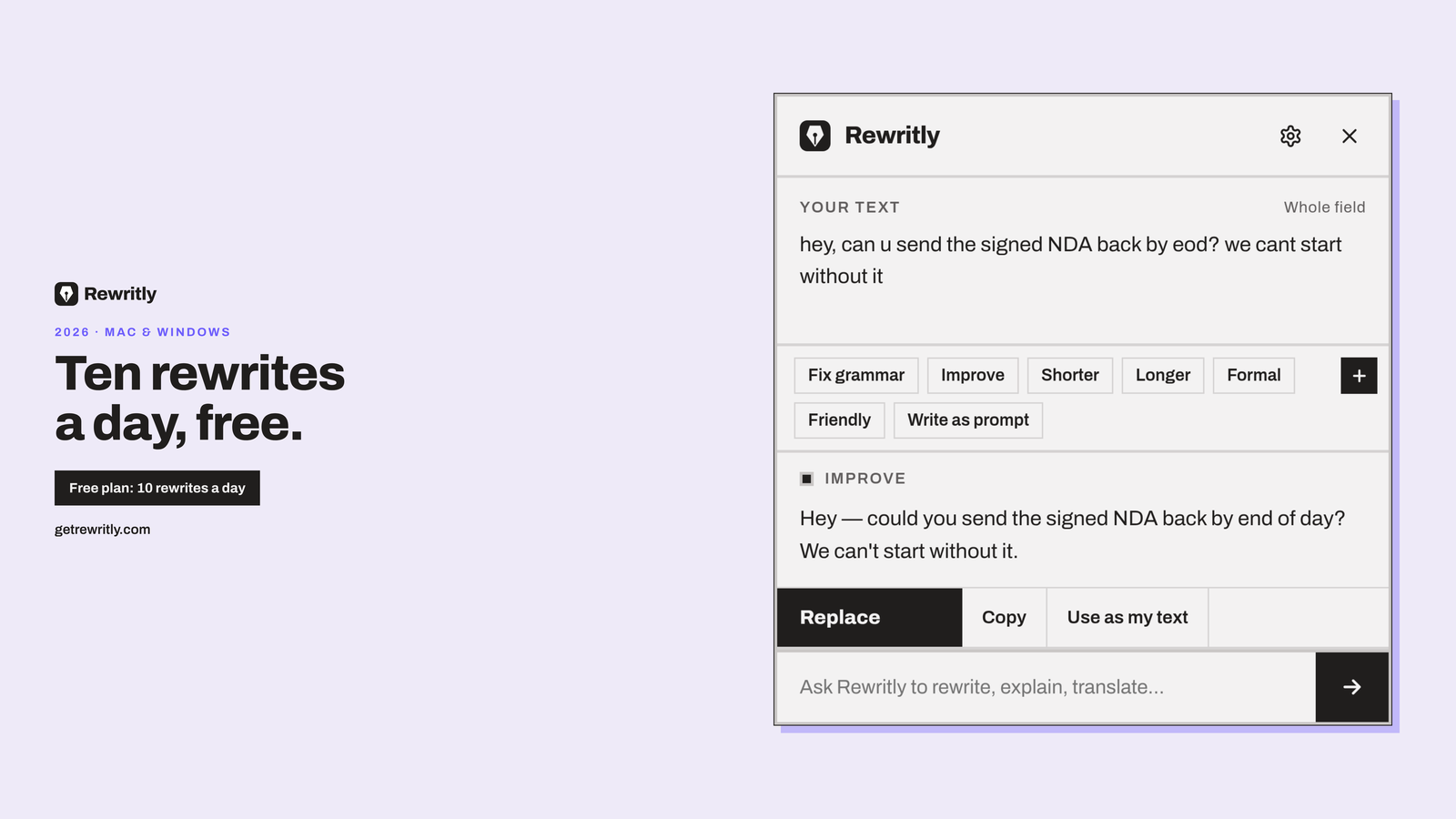
Rewritly’s free plan is the second shape: same Fix grammar / Improve / Shorter / Longer / Formal / Friendly / Ask anything actions as Pro; only the count is capped at 10 per day.
Desktop app vs Chrome extension vs website paste
This is the decision most comparison posts skip.
Desktop app (Rewritly)
Install once on Mac or Windows. Click the icon next to the cursor (or Cmd + Shift + Space / Ctrl + Shift + Space), choose a fix, press Replace. Works in Gmail in the browser and in Slack desktop, WhatsApp Desktop, Notion, Word, Outlook, LinkedIn, Claude, ChatGPT and other places you type. Free allowance: 10 rewrites/day. Details: Grammar checker for Mac, Grammar checker for Windows.
Browser extension (Grammarly Free, LanguageTool Premium path)
Great inside Chrome/Edge/Safari web pages. Weak when your day lives in native apps the extension never sees. LanguageTool’s free users are directed to the editor after the extension became Premium-oriented (announcement, still relevant when we checked 28 Oct 2026)—so “free LanguageTool in every tab” is no longer the default story.
Website paste box (LanguageTool editor, QuillBot, many AI chatbots)
Fine for a long draft. Slow for twenty short replies. If your search was really “free paraphrasing tool,” QuillBot Free may match better than a Grammarly alternative. If your search was “free Grammarly alternative” because you are tired of Pro upsells while chatting, a desktop free plan usually fits better.
Free Grammarly alternative for Mac
Mac searchers often add “for Mac” to the same free intent. Keep roles clear:
- This post: free-tier comparison across platforms.
- Free grammar checker for Mac: Mac installers, Apple Writing Tools, download checklist.
- Best Grammarly alternative for Mac: five-tool Mac shortlist including paid options.
On Mac, Rewritly’s free plan is a universal .dmg (macOS 11+, Apple silicon and Intel), about 5 MB, menu bar. Accessibility permission is required to put text back into fields; password fields are ignored and the app hides in code editors, terminals and password managers (per llms.txt).
Free Grammarly alternative for Windows
The same free plan ships for Windows 10/11 (64-bit) with a system-tray app and Ctrl + Shift + Space. Pricing matches Mac: free 10/day; Pro $7 / $19 / $59. Product page: Grammar checker for Windows. If you only saw Mac roundups elsewhere, this is the Windows free Grammarly alternative path without a separate “Windows free” post yet.
What 10 free rewrites a day is good for
A concrete day on Rewritly Free (illustrative, not a posted social hook):
- Fix grammar on a client reply in Gmail.
- Make a Slack update Formal before your manager sees it.
- Shorten a WhatsApp Desktop message that ran long.
- Ask anything: “make this sound confident but not pushy” on a LinkedIn note. 5–10. Save for the messages that actually ship.
Bulk essay paraphrasing will burn the allowance fast—that is QuillBot Free or a paid plan territory. High-volume teams should look at Pro or Grammarly Pro, not pretend unlimited free exists.
Privacy and “does free mean my text is stored?”
Rewritly: text is sent only when you ask for help; it needs the network (no offline mode). Grammarly, LanguageTool and QuillBot each publish their own privacy policies—read them before you paste confidential text into any free web editor. Prefer tools that state they ignore password fields when they sit on top of the OS.
When free is not enough (honest upgrade paths)
| If you hit… | Sensible next step |
|---|---|
| Rewritly’s 10/day cap most days | Pro at $7/month (or $19 / 3 months, $59/year) — pricing |
| Grammarly Free’s rewrite / prompt wall | Grammarly Pro from $12/month on the annual framing at grammarly.com/plans |
| LanguageTool’s 2,000-character / 3-rephrase Basic caps | LanguageTool Premium (regional pricing on their site) |
| QuillBot’s free paraphrase limit | QuillBot Premium |
Do not upgrade because a homepage says “AI.” Upgrade when a published free limit blocks work you do every week.
How to try Rewritly as a free Grammarly alternative
- Open /#download and install Mac or Windows.
- Sign in when the app asks so your free daily allowance can sync.
- In any text field, trigger the icon or shortcut, run Fix grammar or Ask anything, press Replace.
- Watch the daily count; stay on free or open /#pricing if you need unlimited.
More product context: Grammarly alternative. Chat-specific grammar tips: How to add grammar check to WhatsApp and Slack grammar checker.
Try Rewritly as a free Grammarly alternative
- Download Rewritly for Mac or Windows and sign in. The free plan gives you 10 rewrites every 24 hours, and no card is needed.
- Click into any text field, open Rewritly (Cmd + Shift + Space / Ctrl + Shift + Space), pick a fix, press Replace.
- Stay on free, or open pricing if you need unlimited: $7 a month, $19 per 3 months or $59 a year (Mac and Windows). Cancel anytime.
Free plan, no card needed · macOS 11+ · Windows 10/11 · On a phone? Email yourself the link
Bottom line
A free Grammarly alternative in 2026 is a published free tier with honest limits—not an expired promo that disappears. Grammarly Free keeps underlines in the Grammarly ecosystem. LanguageTool Basic keeps a capable free editor. QuillBot Free keeps short paraphrases. Rewritly keeps a free desktop plan with every feature, capped at 10 rewrites a day, on Mac and Windows, with no card. Start there if you wanted a free Grammarly alternative that works where you already type; upgrade only when the cap is the problem, not the idea of paying.
Download free for Mac or Windows · Pricing · Grammarly alternative product page · Free grammar checker for Mac · Best Grammarly alternative for Mac
FAQ
What is the best free Grammarly alternative in 2026?
It depends on the surface. For in-app replace on Mac and Windows with a clear daily free allowance, Rewritly’s free plan (10 rewrites/day, every feature, no card) is built for that. For familiar browser underlines, Grammarly Free. For a free multilingual web editor, LanguageTool Basic. For short paraphrases in a browser tab, QuillBot Free.
Is there a completely free Grammarly alternative with no limits?
No serious tool ships unlimited Pro-grade rewrites for free forever. Free tiers publish caps: Rewritly 10 rewrites/day, Grammarly Free 100 AI prompts/month plus a Free/Pro feature split, LanguageTool Basic 2,000 characters and 3 AI rephrases/day, QuillBot Free 125 words per paraphrase. Prefer published limits over “unlimited free” marketing.
Is Rewritly free?
Yes. The free plan gives 10 rewrites every 24 hours with every feature and no card. Pro is unlimited: $7/month (Mac and Windows), $19 per 3 months, or $59/year. Cancel anytime. Source: getrewritly.com/llms.txt, 28 Oct 2026.
Is Grammarly Free enough, or do I need an alternative?
Grammarly Free is enough if core spelling/grammar, tone detection and up to 100 AI prompts/month cover your writing. You need an alternative (or Grammarly Pro) if you rely on full-sentence rewrites, higher AI limits or a desktop workflow Grammarly Free does not match.
Does a free Grammarly alternative work on Mac and Windows?
Rewritly’s free plan does—same limits on both. Grammarly Free and QuillBot Free are strongest in the browser. LanguageTool Basic is strongest in the free web editor after extension policy changes. Match the OS and the app you actually type in.
Free Grammarly alternative without a credit card?
Rewritly’s free plan states no card needed. Always confirm checkout screens on publish day for every vendor; never assume a competitor’s free tier stays card-free after redesigns.
How is this different from “best Grammarly alternative for Mac”?
That post compares the strongest Mac options including paid tools. This post only answers what you still get **without paying**, on Mac and Windows. Cross-link both; do not merge the H1s.