Full disclosure: Rewritly is our product. Details about Teams and Grammarly come from Microsoft's and Grammarly's own pages, checked on November 15, 2026.
How to set up spell check in Teams
Microsoft gives these steps:
- Go to Settings and more, then select Settings.
- In the General section, go to Editor Spellcheck.
- Select Manage to add more languages.
You can also manage languages while writing: select More options, then Manage languages. Here, Microsoft says you can also ignore details such as uppercase letters, words with numbers, and internet and file addresses.
Microsoft says you can add up to 5 languages. Its multi-language proofing feature currently supports English, Spanish, French, Italian and German.
If words aren't underlined at all, see Teams spell check not working for seven fixes.
How to stop Teams flagging a word
- To add a word: select it, then select Add to Dictionary. This helps with names and product terms.
- To skip a suggestion: select the word, then select Ignore All.
How to fix grammar and tone in Teams
Spell check catches misspelled words. It may not help with "me and priya was looking at it", a long update nobody will read, or a reply that sounds harsher than you meant.
Here are your main options:
- A desktop writing assistant: this works in the Teams message box, so you don't copy your text anywhere. Rewritly works this way on Mac and Windows.
- Grammarly: Grammarly's Microsoft Teams page says its desktop app for Mac and Windows works in Teams. Install the desktop app, since a browser extension alone won't reach the Teams app.
- Your company's Microsoft 365 tools: your organization may have AI writing features, so ask your IT team what's available.
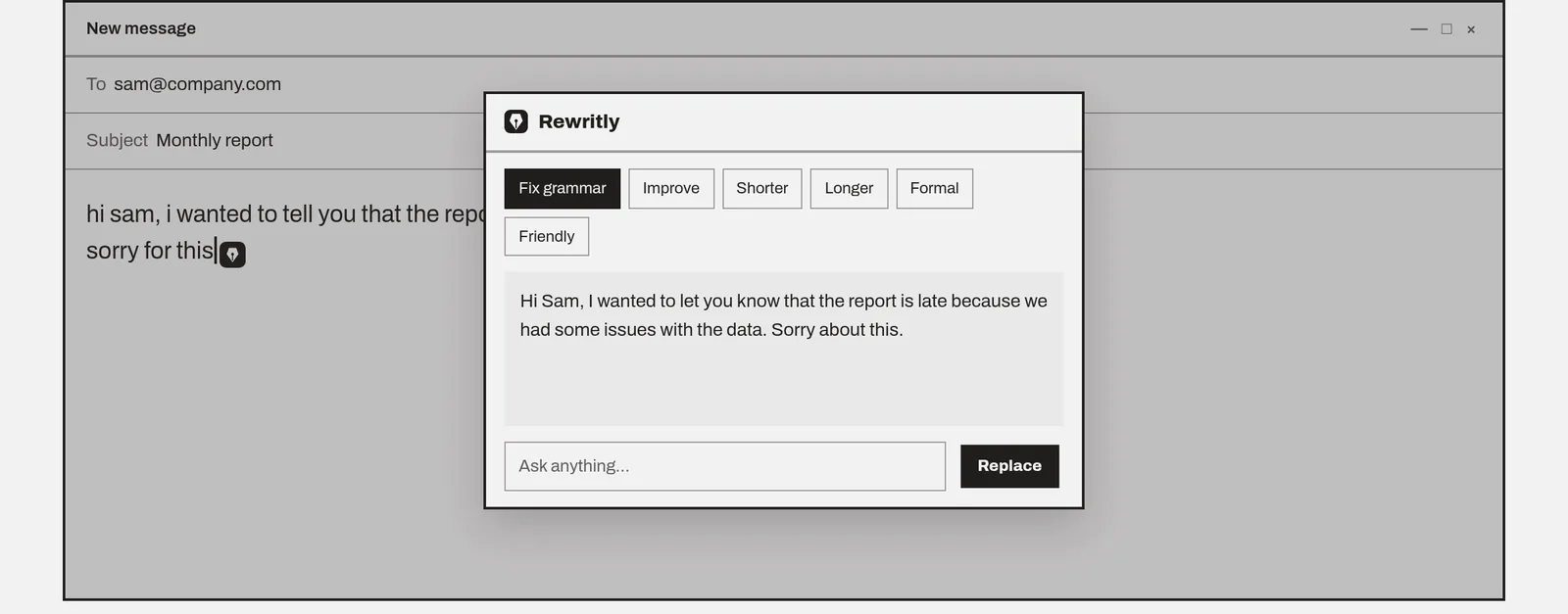
With Rewritly:
- Type your message in Teams.
- Click the icon next to your cursor, or press the shortcut.
- Pick Fix grammar, Formal, Friendly or Shorter, or ask for something such as "make this polite but firm".
- Press Replace, then send.
Rewritly only sends text when you ask it for help. Check your company's policy before using any third-party writing tool for work messages.
Example fixes
These examples were written for this guide.
Fix grammar
- Before: "me and priya was looking at the bug, it dont happen on staging only on prod"
- After: "Priya and I were looking at the bug. It doesn't happen on staging, only on prod."
Friendly
- Before: "This is wrong. Fix it before the client call."
- After: "I think this needs a small fix. Could you update it before the client call? Thanks!"
Shorter
- Before: "Hi team, I wanted to let you all know that the meeting that we had planned for tomorrow is going to need to be moved because the client isn't available."
- After: "Hi team, tomorrow's meeting needs to move because the client isn't available."
Try Rewritly in Teams
The free plan gives you 10 rewrites a day, and no card is needed.
Free plan, no card needed · macOS 11+ · Windows 10/11 · On a phone? Email yourself the link
Sources (checked 15 Nov 2026): Microsoft Support: Check your spelling in multiple languages in Teams · Grammarly for Microsoft Teams · Grammarly support: other apps
FAQ
Does Microsoft Teams check grammar?
Microsoft's help page describes spell checking in Teams, and doesn't describe grammar checking. To fix grammar and tone, use a separate writing assistant or check your organization's Microsoft 365 tools.
How do I change the spell check language in Teams?
Go to Settings and more, select Settings, then in General go to Editor Spellcheck and select Manage. You can also select More options, then Manage languages, after you've started writing a message.
How many spell check languages does Teams support?
Microsoft says you can add up to 5 languages to your proofing dictionary, and that multi-language proofing currently supports English, Spanish, French, Italian and German.
How do I stop Teams flagging a word?
Select the word, then select Add to Dictionary so it isn't flagged again. To skip a suggestion, select the word, then select Ignore All.
Does Grammarly work in Microsoft Teams?
Yes. Grammarly's Microsoft Teams page says it works in Teams once you download Grammarly for your desktop on Mac or Windows. A browser extension alone won't reach the Teams desktop app.